How Custom Real Estate CRM Software Development Got JLL's Brokers Off Spreadsheets, With 6x CRM Adoption

JLL, a global commercial real estate services firm, worked with Ascendix on custom real estate CRM software development, building SmartClient, an application for brokers’ daily work, on top of the company’s existing CRM. Fast property search, one-click brochures and region-specific setups replaced spreadsheet workarounds, and adoption rose about sixfold by JLL’s own account.

Background

JLL (Jones Lang LaSalle Inc.) is a global commercial real estate services firm headquartered in Chicago, with more than 113,000 employees across 80 countries.

Across its global offices, brokers work with property, lease, sales and listing data, and each regional market sets its own requirements. A CRM serving those teams has to cover all of that and adapt to the way each market does business.

Ascendix has worked with JLL since 2010. The partnership started with CRM consulting and grew into a long-term custom real estate software development and support relationship, covering new development as well as ongoing care of JLL’s CRM environment.

This case study covers the custom application Ascendix built on top of it for brokers’ daily work: property search, client brochures, deal tracking, management dashboards, bulk data tools, duplicate checks and a visual view of floor space, set up office by office. It also covers the move to the cloud and the support team that stayed on after launch

Chad Lindsey,
Vice President
earth icon blue
Location
Chicago, Illinois, US
icon-4
Scale
113,000+ employees across 80 countries (2025)
pazzle icon blue
Services provided
Custom real estate software development, system integration, cloud migration, ongoing support 
Industry icon blue cases
Tech stack
Microsoft Dynamics 365, AscendixRE’s Dynamics 365 edition, SmartClient, .NET, Elastic Search, Azure
rocket icon blue
Headline result
6x increase in CRM adoption 

The Challenge

JLL had rolled out a CRM to its brokerage teams, but adoption stayed low. Brokers kept property, lease and deal data in spreadsheets and side documents, so the system held only part of the picture and managers couldn't rely on it. Six problems pushed brokers away from it.

The CRM didn't understand real estate

JLL's brokers worked in Microsoft Dynamics CRM, a general-purpose platform with no built-in way to track properties, leases, sales and listings, so brokers kept that information in spreadsheets and side documents instead of the CRM.

Client materials were built by hand

There was no built-in way to generate a branded brochure or report. Putting one together meant pulling property data by hand, then formatting it from scratch. For a single client request, that could take a broker's team days.

Tracking deals didn't match how brokers sold

The way the CRM handled opportunities did not reflect how JLL's brokerage teams created, tracked, and closed deals, so it felt like paperwork rather than something that helped close business.

Deals and team performance was hard to see

Seeing how a broker or an office was doing meant opening records one by one. There was no dashboard to turn that into a chart.

Importing and exporting data meant manual re-entry

JLL regularly needed to move batches of contacts, listings, and properties in and out of the CRM. Without a bulk import or export tool, someone had to type each record in by hand.

Duplicate records kept piling up

As offices worldwide added new contacts, companies, and properties, duplicate entries piled up in the database, since there was no way to catch a match before it was entered.

There was no visual way to plan office space

Seeing which parts of a floor were leased, available, or coming up for expiry meant piecing information together by hand. There was no single visual view of a property's space. Brokers and clients were left assembling that picture themselves.

“ Our initial challenge involved poor CRM adoption. We needed help integrating our real estate information into our system, so we could track properties, leases, sales, and other opportunities. ”

Chad Lindsey, Vice President Global IT

Solutions

1
JLL-Custom-CRM-App-Development
Dynamics 365 CRM Customization

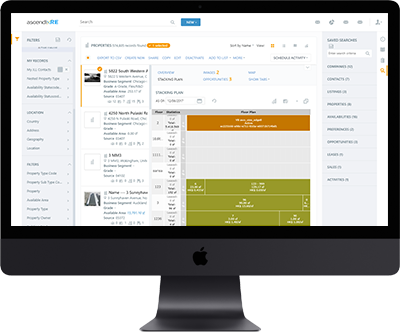
Ascendix, a real estate software development company, brought the real-estate logic from AscendixRE’s Dynamics CRM edition into JLL’s system and used it to build SmartClient, a custom application for brokers’ daily work. Each office can set it up to fit how that market sells, without JLL running separate systems everywhere. 

2
JLL-Brochure-Generation-Tool-Development
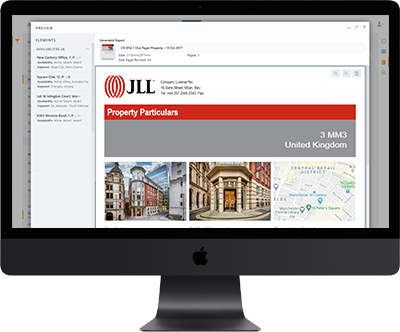
A brochure in one click instead of a day’s work 

With Composer, instead of pulling property details together by hand, a broker can turn current listing and property data into a branded, client-ready brochure in one step, then send it or download it right away.

JLL-Brochure-Generation-Tool-Development
3
JLL-Opportunity-Management-App-Development
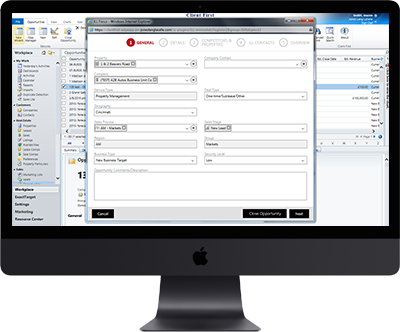
An opportunity process built around how deals close 

Ascendix rebuilt how opportunities get created and tracked so the steps in the CRM match the steps a JLL broker goes through to close a deal, instead of a process that fought their workflow.

4
JLL-Dashboard-Functionality-Development
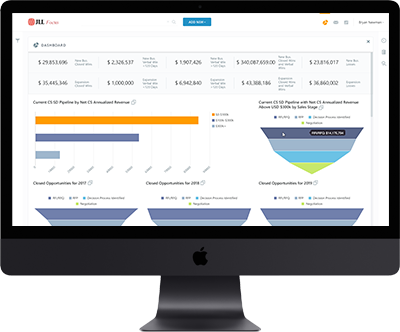
A dashboard that turns activity into a picture managers can read

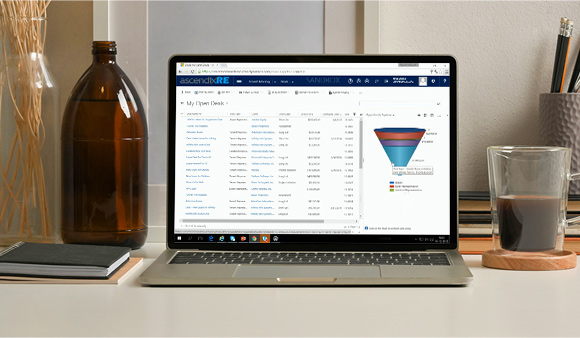
A manager no longer has to dig through individual records to see how a team is doing. Raw activity now rolls up into charts that can be filtered down to a single office, team, or time period. 

JLL-Dashboard-Functionality-Development
5
JLL-Import-Export-Tool-Development
Moving records in and out without retyping them 

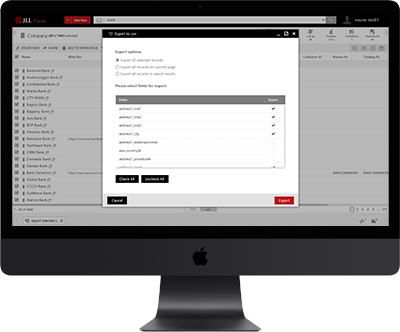
A CSV or Excel import and export tool lets a broker move a batch of contacts, listings, or properties in or out of the CRM in a few clicks instead of typing each one in by hand. 

6
JLL-Duplication-Detection-Tool-Development
Catching duplicates before they happen

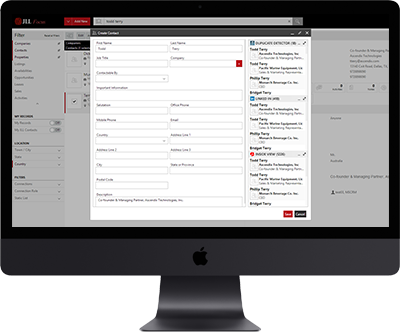
Whenever someone adds a new contact, company, or property, the system checks it against what’s already there. A likely match gets flagged before a duplicate can be created. 

JLL-Duplication-Detection-Tool-Development
7
JLL-Map-View-Solution
A visual way to see a floor’s space at a glance 

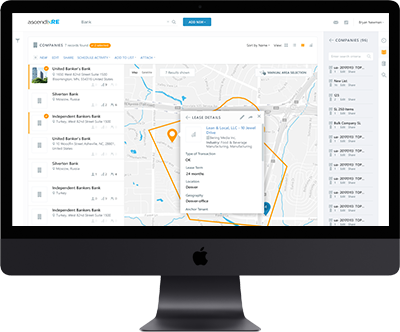
Brokers, owners, and clients can look at one visual layout of a floor, leased space, availability, and lease expiry included, instead of piecing that picture together from separate records. 

8
JLL-Cloud-Hosting-Migration
Moving off on-premises servers and into the cloud 

Ascendix moved JLL’s Dynamics 365 environment off its own hardware and into the cloud. Offices worldwide can now reach the system without JLL maintaining servers to support it. 

JLL-Cloud-Hosting-Migration
9
JLL-Concierge-Support-Service
A team that stays on after launch 

The relationship didn’t end at go-live. Ascendix runs a concierge team that helps brokers with day-to-day questions, a 24/7 support team that responds to system alerts, and an operations team of developers who fix issues as they come up, both in SmartClient and in JLL’s Dynamics 365 environment. 

“ The quality of work Ascendix provides is second to none. The technologies they've employed have significantly simplified our CRM usage. Many of our locations require customizations that Ascendix has been able to provide solutions for not available in our native CRM. Their work has driven our adoption, which has increased by about six times what it was before we started working with them. ”

Chad Lisney, Vice President Global IT

The Result

JLL-Six-Time-CRM-Adoption-Increase

JLL’s CRM adoption increased approximately 6x after this project, by JLL’s own account. A system brokers had been avoiding became one they use as part of their daily workflow, with property, lease and deal data kept in the CRM instead of in spreadsheets.

SmartClient’s region-by-region configurability means each of JLL’s offices runs the setup that fits its market, without JLL maintaining separate systems for every region. An office with heavy lease activity, for example, can run a more detailed lease management setup.

JLL-Six-Time-CRM-Adoption-Increase

“ Ascendix are true consultants, meaning they don't just do as they're told without providing feedback and input where they feel it would be helpful. They actually think through the process and are knowledgeable about commercial real estate. Not many consulting firms can offer that kind of expertise and industry knowledge. ”

Chad Lisney, Vice President Global IT

FAQ

What did Ascendix's custom real estate CRM software development for JLL include?

Ascendix built SmartClient, a custom real estate application for JLL’s brokers, on top of the company’s Microsoft Dynamics CRM. It adds a data model for properties, leases, sales and listings, fast map-based search, one-click brochures, dashboards, bulk data tools and duplicate detection, all configurable by office and region. 

How long has Ascendix worked with JLL?

Ascendix and JLL have partnered since 2010, sixteen years as of today.

How much did CRM adoption improve after this project?

JLL’s real estate CRM adoption increased approximately six times, per JLL’s own account.

What is SmartClient, and how does it work with Dynamics 365 for real estate brokers?

SmartClient is the custom application Ascendix built on top of JLL’s Dynamics 365 environment for brokers’ daily work. It adds the real estate layer the platform lacked out of the box, with configuration options that vary by office and region.

Working Around Your CRM Instead of In It?

JLL's brokers were too, until their CRM got rebuilt around their business. Adoption jumped six times. What's slowing your team down? Tell us, and we'll give you a straight read on whether custom real estate software development makes sense.